 Yay's
Yay'sI think that warrents this:)

This was my first animash. I've since learnt that what really makes them look great is if you use the brush tool, take it off normal mode and put it into colour (drop down menu on top) set the opacity to about 17% and use pipette to get an average colour tone from the body layer. Then use the magic wand to select the area around the head the invert it (ctrl i) so just the head is selected. You can get a really good colour match.
I'm not trying to be pedantic but I've learnt loads from the people here over the years.
(This was my first animash. I've since learnt that what really makes them look great is if you use the brush tool, take it off normal mode and put it into colour (drop down menu on top) set the opacity to about 17% and use pipette to get an average colour tone from the body layer. Then use the magic wand to select the area around the head the invert it (ctrl i) so just the head is selected. You can get a really good colour match.
I'm not trying to be pedantic but I've learnt loads from the people here over the years.
 riverghost servicing your mum since,
Sun 17 Feb 2008, 14:07,
archived)
thanks for the advice:D
riverghost servicing your mum since,
Sun 17 Feb 2008, 14:07,
archived)
thanks for the advice:Di am quite new to tattyshop and every bit if advice helps :D
( Dances with Rabbits Back to Education i go,
Sun 17 Feb 2008, 14:11,
archived)
tried it
Dances with Rabbits Back to Education i go,
Sun 17 Feb 2008, 14:11,
archived)
tried it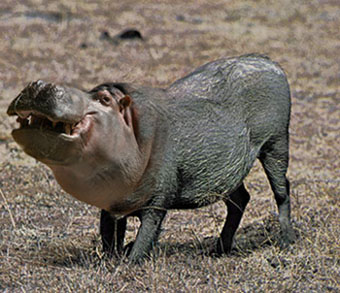
just realised, on some of my images i went over them with the painbrush but never went onto colour, i think i'll do that from now on (when its needed)
Dances with Rabbits Back to Education i go,
Sun 17 Feb 2008, 14:34,
archived)
And he looks very happy about it too:D riverghost servicing your mum since,
Sun 17 Feb 2008, 14:35,
archived)
i have to concurit does look better
( Dances with Rabbits Back to Education i go,
Sun 17 Feb 2008, 14:39,
archived)
Holy shit!and buggery buggery buggering bollox! I should have waited before embarking on my animal mashing expedition. I did none of these things. As you can see.
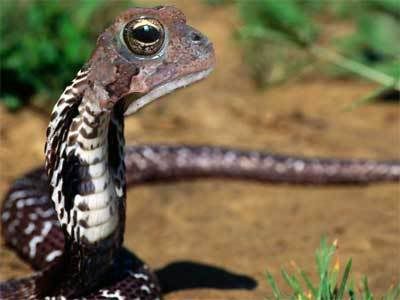
Sod it. Off to walk the dog - not a euphemism.
(Sod it. Off to walk the dog - not a euphemism.
 Neffer Vossent rues the day,
Sun 17 Feb 2008, 15:10,
archived)
heck i've been mashing since i got photoshop
Neffer Vossent rues the day,
Sun 17 Feb 2008, 15:10,
archived)
heck i've been mashing since i got photoshopwith varied results.
it also depends on your source pics and the colours within them
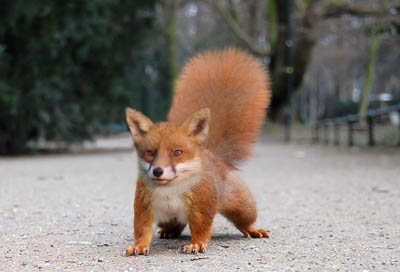
(it also depends on your source pics and the colours within them
Dances with Rabbits Back to Education i go,
Sun 17 Feb 2008, 15:32,
archived)
and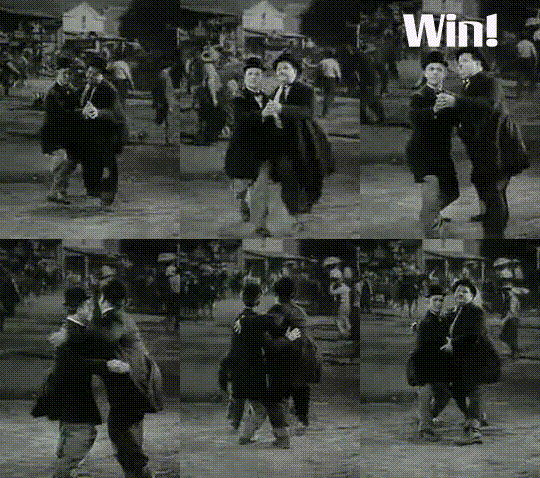
*click*
by the way! Great stuff!
Neffer Vossent rues the day,
Sun 17 Feb 2008, 15:11,
archived)