 128 Colours is insane.
I use FREE ULead's Optimization Wizard to get it down - start with 64,
then work my way down through 48, 32, 24, and if it's that bad, 16.
Some people use scanlines but I don't like that, it makes them
look like they're being played on an early TV prototype.
download.cnet.com/Ulead-GIF-Animator/3000-2186_4-10002057.html
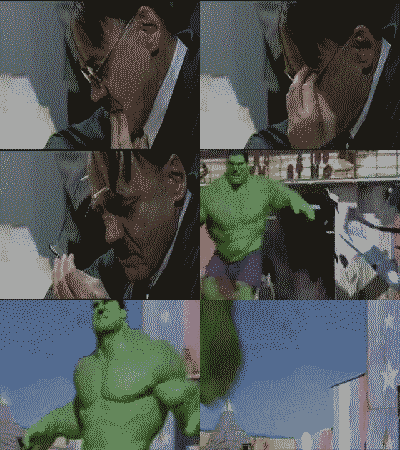
50+ frames, 32 colours per frame, under 400k
Good luck
(then work my way down through 48, 32, 24, and if it's that bad, 16.
Some people use scanlines but I don't like that, it makes them
look like they're being played on an early TV prototype.
download.cnet.com/Ulead-GIF-Animator/3000-2186_4-10002057.html
50+ frames, 32 colours per frame, under 400k
Good luck
 Bela Lugosi's Dad,
Wed 10 Mar 2010, 18:31,
archived)
I was beginning to think that
Bela Lugosi's Dad,
Wed 10 Mar 2010, 18:31,
archived)
I was beginning to think thatthe idea was not to let on what any of us use.
However, I use the GIF optimisation on the Gimp.
There are basically two steps:
# take out what is the same in consecutive frames so that you don't have to redraw it; and,
# take down the number of colours from RGB to 255/128/64/32/24/whatever.
You can do them in either order but if you remove the image redundancy first (ie, get rid of anything that doesn't change) then when it comes to reducing the number of colours, the dithering routine will only work on what it has and produce a smaller file.
If you reduce the colours first and you have something high up in the image that changes, the dithering routine will dither differently right down to the bottom of the image so that when you come to take out the redundancy, it will keep large portions of the image that weren't moving in the original but now have dithering on them.
Also, if you need to change the frame rate (like if you have times when nothing is happening) then just make those frames longer. The following has one frame that lasts 5 seconds. It had to go with jpegs so it has a lot of colours in it.

Zoidberg burning up on re-entry: 61x420pixels, 38 frames, about 15 seconds, 255 colours, 61,498 Bytes
It is here with the rest of the image at www.b3ta.com/board/9951505 .
(,
Wed 10 Mar 2010, 19:33,
archived)
However, I use the GIF optimisation on the Gimp.
There are basically two steps:
# take out what is the same in consecutive frames so that you don't have to redraw it; and,
# take down the number of colours from RGB to 255/128/64/32/24/whatever.
You can do them in either order but if you remove the image redundancy first (ie, get rid of anything that doesn't change) then when it comes to reducing the number of colours, the dithering routine will only work on what it has and produce a smaller file.
If you reduce the colours first and you have something high up in the image that changes, the dithering routine will dither differently right down to the bottom of the image so that when you come to take out the redundancy, it will keep large portions of the image that weren't moving in the original but now have dithering on them.
Also, if you need to change the frame rate (like if you have times when nothing is happening) then just make those frames longer. The following has one frame that lasts 5 seconds. It had to go with jpegs so it has a lot of colours in it.
Zoidberg burning up on re-entry: 61x420pixels, 38 frames, about 15 seconds, 255 colours, 61,498 Bytes
It is here with the rest of the image at www.b3ta.com/board/9951505 .
ULead takes out redundant pixels too.But good post. :)
( Bela Lugosi's Dad,
Wed 10 Mar 2010, 19:35,
archived)