![[challenge entry]](/images/board_posticon_c.gif "Challenge Entry: New Ways To Deliver The Mail") The soultion is obvious
The soultion is obvious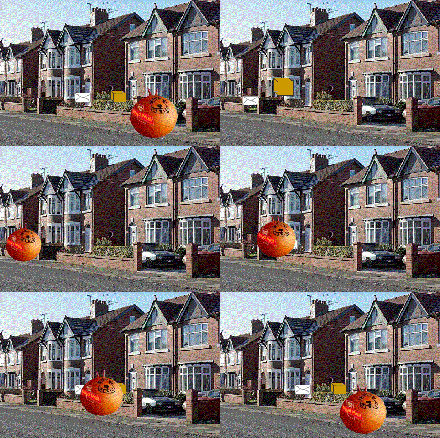
but compression all but killed this.
From the New Ways To Deliver The Mail challenge. See all 239 entries (closed)
(
 An Egg ,D,
Sat 31 Oct 2009, 4:01,
archived)
An Egg ,D,
Sat 31 Oct 2009, 4:01,
archived)
 That shouldn't be bigger than 100k, how on earth have you managed that?
 Mu Dinofiddler,
Sat 31 Oct 2009, 4:03,
archived)
From the FAQ
Mu Dinofiddler,
Sat 31 Oct 2009, 4:03,
archived)
From the FAQanimated gifs should be kept as small as possible, but never exceed 400 KB.
edit: this is about 399
(edit: this is about 399
An Egg ,D,
Sat 31 Oct 2009, 4:04,
archived)
No no no, I'm not telling you off.I'm asking how you physically were able to make that anim so large.
( Mu Dinofiddler,
Sat 31 Oct 2009, 4:05,
archived)
WellIt all started with CS3, which I may add is a bit of a cunt about exporting gifs-- it does but it adds artifacts. I exported it as a series which works fine, then put them together with a bit of freeware. I then resized it in the Gimp until it was under 400k.
If you have a better idea, this making things smaller is ruining them.
(If you have a better idea, this making things smaller is ruining them.
An Egg ,D,
Sat 31 Oct 2009, 4:09,
archived)
You have cs3, but not ImageReady?Imageready should come with it, and it has customisable optimisation for animations.
( Mu Dinofiddler,
Sat 31 Oct 2009, 4:10,
archived)
GimpI tend to use it. I'll try the other thing next time :)
( An Egg ,D,
Sat 31 Oct 2009, 4:15,
archived)
There's an option in one of the drop down lists that should say Open in Imageready.So you don't need to bugger about trying to find it.
Just have each frame you want ready and open in one image, each in a different layer.
(Just have each frame you want ready and open in one image, each in a different layer.
Mu Dinofiddler,
Sat 31 Oct 2009, 4:18,
archived)
Try Animation Shop 3.It is actually pretty good for optimising animations from a series of gifs. I suspect you are doing something wrong in your exporting of gifs from Photoshop though. They should never be that big I wouldn't think.
( Redsushi! Whoop! Whoop! Yes, that one!,
Sat 31 Oct 2009, 4:19,
archived)
Ah ok.
Redsushi! Whoop! Whoop! Yes, that one!,
Sat 31 Oct 2009, 4:19,
archived)
Ah ok.I think Maiden knows about Flash.
( Redsushi! Whoop! Whoop! Yes, that one!,
Sat 31 Oct 2009, 4:35,
archived)
yeah it looks like you've just made it really lossymight be better to reduce the colours, or allow some banding of colours, and if all else fails, scanlines :D
(,
Sat 31 Oct 2009, 4:07,
archived)
I hope I'm not in trouble.My wonky woo used gifsicle with
--loopcount=forever --colors 256 --optimize=2
(--loopcount=forever --colors 256 --optimize=2
 I smash things in my sleep uruk-hai ...and I'll look low. Now where'd they go?,
Sat 31 Oct 2009, 4:28,
archived)
It's a bit big, but no one's noticed so I think you got away with it ;) Mu Dinofiddler,
Sat 31 Oct 2009, 4:43,
archived)
hmm it's a bit big
I smash things in my sleep uruk-hai ...and I'll look low. Now where'd they go?,
Sat 31 Oct 2009, 4:28,
archived)
It's a bit big, but no one's noticed so I think you got away with it ;) Mu Dinofiddler,
Sat 31 Oct 2009, 4:43,
archived)
hmm it's a bit bigYou could get that down to 300-400k no problem without really losing much quality. Might be worth doing in case you want to post it when there are more people around who might get stroppy.
(,
Sat 31 Oct 2009, 4:47,
archived)
Thanks for the suggestions though, they may still come in handy.
(
An Egg ,D,
Sat 31 Oct 2009, 4:50,
archived)
 *glee*
 Bobby Bob Bob also available on http://jbobw.deviantart.com/,
Sat 31 Oct 2009, 9:35,
archived)
Bobby Bob Bob also available on http://jbobw.deviantart.com/,
Sat 31 Oct 2009, 9:35,
archived)