 ngngngh
 ok, how do i get around the forums fps limit on animatied gifs? ive browsed through 'save for web devices' but cant find a way. also feel free to speed it up for me.
None of the browsers respect the GIF frame rates.
ok, how do i get around the forums fps limit on animatied gifs? ive browsed through 'save for web devices' but cant find a way. also feel free to speed it up for me.
None of the browsers respect the GIF frame rates.Each has their own way of doing it, alas. Try 0.02 seconds
for really flippy ones. Zero is often ignored and the browser
uses a default value. Often 10 or 15 frames per sec.
edit: Here it is at 0.02

Edit in mine and I'll edit this away. Or not, your call.
(for really flippy ones. Zero is often ignored and the browser
uses a default value. Often 10 or 15 frames per sec.
edit: Here it is at 0.02
Edit in mine and I'll edit this away. Or not, your call.
 Tahkcalb ω∞ for sigs,
Tue 20 Oct 2009, 2:57,
archived)
0.07
Tahkcalb ω∞ for sigs,
Tue 20 Oct 2009, 2:57,
archived)
0.07is the fastest framespeed that works for all of the currently most popular browsers, I think. I'm including IE6 in that list because it's still in fairly wide use.
( mofaha ┐( ˘_˘)┌ ʅ(́◡◝)ʃ,
Tue 20 Oct 2009, 2:59,
archived)
I assume you are speaking of Windows. On Mac OSX it is even stranger.
mofaha ┐( ˘_˘)┌ ʅ(́◡◝)ʃ,
Tue 20 Oct 2009, 2:59,
archived)
I assume you are speaking of Windows. On Mac OSX it is even stranger.Firefox and Opera will do 0.02 but ignore fractions
on whole units 1.2 = 1.0 and so on. Safari does its
own thing and ignores anything under 0.1 on some
machines and video cards. We need a scorecard!
(on whole units 1.2 = 1.0 and so on. Safari does its
own thing and ignores anything under 0.1 on some
machines and video cards. We need a scorecard!
Tahkcalb ω∞ for sigs,
Tue 20 Oct 2009, 3:03,
archived)
Yeah I guess I have a web developer's approach to that one...I try to make sure it works ok on the 'worst' setup. Everything after that is a bonus. In practice that means I make 0.03 the minimum frame delay, which usually degrades passably well when taken up to 0.07.
"Failing gracefully".
("Failing gracefully".
mofaha ┐( ˘_˘)┌ ʅ(́◡◝)ʃ,
Tue 20 Oct 2009, 3:06,
archived)
i dunno,I'm rather sold on the original to be honest :-P
( AgentMuu hentai coordination,
Tue 20 Oct 2009, 3:01,
archived)
always undermining me!
AgentMuu hentai coordination,
Tue 20 Oct 2009, 3:01,
archived)
always undermining me!i'll tie you up by your toes, you knobgobbler!
( AgentMuu hentai coordination,
Tue 20 Oct 2009, 3:16,
archived)
it's not about the forum, it's about your browsergo to your animation window, on the top right click the little button that makes another menu pop up and click "select all frames". Then right click one of the frames directly on its frame delay value and click "other." If your frame delay is in the 1/100s (0.03, 0.04, etc) it will be much faster. Let me know if any of that didn't make sense. this is usually best for when viewing animations in firefox. If anything put me off IE, it's the way it handles GIFs, which is to say, it fucking sucks.
( AgentMuu hentai coordination,
Tue 20 Oct 2009, 2:57,
archived)
Those instructions sound familiar...I'm guessing you're still using Image Ready?
( mofaha ┐( ˘_˘)┌ ʅ(́◡◝)ʃ,
Tue 20 Oct 2009, 3:03,
archived)
nophotoshop has imageready's functionality built in from cs2 forward! you didn't notice?
( AgentMuu hentai coordination,
Tue 20 Oct 2009, 3:12,
archived)
HAHAHAHAHAHADon't get me fucking started.
Try this... find a .gif with different frame delays on each frame and import it into photoshop, preserving the individual frame delays, LIKE YOU USED TO BE ABLE TO DO IN IMAGEREADY.
Actually don't waste your time, because it doesn't work, and there is absolutely no workaround to fix it. As far as I am aware, Fireworks is now the only Adobe application that can fully support all features of an imported animated gif. And Fireworks is a bloated, tacked-together mess.
(Try this... find a .gif with different frame delays on each frame and import it into photoshop, preserving the individual frame delays, LIKE YOU USED TO BE ABLE TO DO IN IMAGEREADY.
Actually don't waste your time, because it doesn't work, and there is absolutely no workaround to fix it. As far as I am aware, Fireworks is now the only Adobe application that can fully support all features of an imported animated gif. And Fireworks is a bloated, tacked-together mess.
mofaha ┐( ˘_˘)┌ ʅ(́◡◝)ʃ,
Tue 20 Oct 2009, 3:42,
archived)
yeah i use ff,anyway, thx Muu and everbody else, it was a bit of a mystery to me.
Eyyyyy! It's "post any old crap for no good sodddddddding reason" tiem! Sea Tramp the thinking woman's 8 Ace,
Tue 20 Oct 2009, 3:04,
archived)
Sea Tramp the thinking woman's 8 Ace,
Tue 20 Oct 2009, 3:04,
archived)

 3/100's of a sexy second here, but I think this works in Firefox, and IE will show it much slower
 PedroHin Update your profile or Logout,
Tue 20 Oct 2009, 3:06,
archived)
Has flashy black bars at the side for me, including on standalone viewer.
PedroHin Update your profile or Logout,
Tue 20 Oct 2009, 3:06,
archived)
Has flashy black bars at the side for me, including on standalone viewer.I ran into that same problem with this...

Not sure why.
(Not sure why.
Tahkcalb ω∞ for sigs,
Tue 20 Oct 2009, 3:09,
archived)

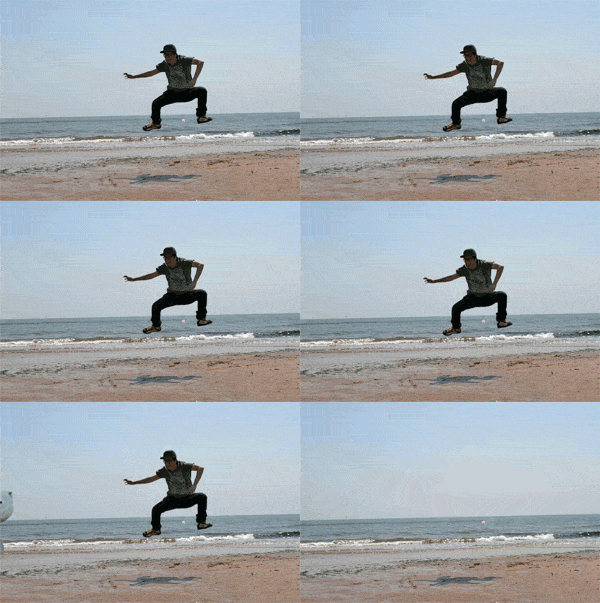





 HAHAHAHAHAHAHAHAHAHA
This is fucking great. Have a click.
( mofaha ┐( ˘_˘)┌ ʅ(́◡◝)ʃ,
Tue 20 Oct 2009, 3:52,
archived)
Perfect
(
 I smash things in my sleep uruk-hai ...and I'll look low. Now where'd they go?,
Tue 20 Oct 2009, 4:12,
archived)
that's due to my failure to fill a transprent area PedroHin Update your profile or Logout,
Tue 20 Oct 2009, 3:14,
archived)
Not just that bulge by the cat, big rectangular stripes off the side.
I smash things in my sleep uruk-hai ...and I'll look low. Now where'd they go?,
Tue 20 Oct 2009, 4:12,
archived)
that's due to my failure to fill a transprent area PedroHin Update your profile or Logout,
Tue 20 Oct 2009, 3:14,
archived)
Not just that bulge by the cat, big rectangular stripes off the side.Just sec and I'll try to see if I can get screen grab of the effect...
edit: 30 snaps and I got it.

(edit: 30 snaps and I got it.
Tahkcalb ω∞ for sigs,
Tue 20 Oct 2009, 3:18,
archived)
wowi'm not getting those at all, I'd take your computer to the vet for a checkup pretty soon
( AgentMuu hentai coordination,
Tue 20 Oct 2009, 3:24,
archived)
I guess Blingee Gifs never let you down... PedroHin Update your profile or Logout,
Tue 20 Oct 2009, 3:31,
archived)
PedroHin Update your profile or Logout,
Tue 20 Oct 2009, 3:31,
archived)
 i haven't seen such flagrant use of drop-shadow since about 1998 PedroHin Update your profile or Logout,
Tue 20 Oct 2009, 3:40,
archived)
I love a bit of drop shadow, it makes my work that much more professional
i haven't seen such flagrant use of drop-shadow since about 1998 PedroHin Update your profile or Logout,
Tue 20 Oct 2009, 3:40,
archived)
I love a bit of drop shadow, it makes my work that much more professional(
 Rapitinui get in the cage and I'll give you a treat,
Tue 20 Oct 2009, 3:43,
archived)
i cant believe that's only 2 frames PedroHin Update your profile or Logout,
Tue 20 Oct 2009, 3:53,
archived)
We got to cgi that shit!
Rapitinui get in the cage and I'll give you a treat,
Tue 20 Oct 2009, 3:43,
archived)
i cant believe that's only 2 frames PedroHin Update your profile or Logout,
Tue 20 Oct 2009, 3:53,
archived)
We got to cgi that shit!Tie it up tight and burst it onto the scene like outta sight, right!
( I smash things in my sleep uruk-hai ...and I'll look low. Now where'd they go?,
Tue 20 Oct 2009, 4:09,
archived)
Pedro never, ever lets us down.I'm highly amused.
( Sea Tramp the thinking woman's 8 Ace,
Tue 20 Oct 2009, 3:12,
archived)