 It's been on my site for ages, but I thought I'd post it as a gif. It's the Jewish Pacman.
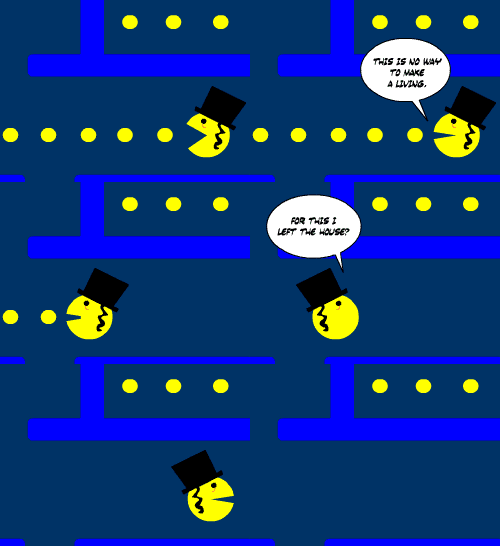
 my brain is making the
wa-ca-wa-ca-wa-ca noises :)
( GrandmaOfShoes,
Tue 14 Sep 2004, 0:20,
archived)
TJ
Anyone know a link that teaches how to do animal hybrids in potatoshop? I am severely messing these up and dont remember what im forgetting
( Well, not quite Will be nice for food,
Tue 14 Sep 2004, 0:21,
archived)
get your two animals
cut the head off one and put it on the file of the other
cut away the unnecessary stuff, put into position by dropping opacity then start cloning and colourising (CTRL+U tick colourise) then just keep practicing
(cut away the unnecessary stuff, put into position by dropping opacity then start cloning and colourising (CTRL+U tick colourise) then just keep practicing
GrandmaOfShoes,
Tue 14 Sep 2004, 0:23,
archived)
thanksThe colorizing is what keeps getting me
I do have spacky animals down pat.

(I do have spacky animals down pat.
Well, not quite Will be nice for food,
Tue 14 Sep 2004, 0:24,
archived)
it's a pain, generally i'm rubbish at itit's just a matter of matching up
good luck
(good luck
GrandmaOfShoes,
Tue 14 Sep 2004, 0:24,
archived)
hehehI like the spacky ones, tho..
woot!
(woot!
 Rapitinui get in the cage and I'll give you a treat,
Tue 14 Sep 2004, 0:28,
archived)
You HAVE to use masks
they make life so much easier.
( Enigmatic ™ Voice No More ©,
Tue 14 Sep 2004, 0:24,
archived)
masks??
Like what you wear to parties or rob a bank??
( bennyhillslovechild,
Tue 14 Sep 2004, 0:25,
archived)
elaborate please?
taking notes
( Well, not quite Will be nice for food,
Tue 14 Sep 2004, 0:27,
archived)
Briefly....layer 1 = animal
layer 2 = new head
select layer 2 and create new layer mask (easy to find in top menu bar)
Select reveal all or hide all.
If you hide all it makes head invisible and if you use the eraser it makes parts visible, use the brush it hides bits again. You can feather the eraser and brush to make the edit seamless. (It's like eraser with any amount of editing)
If you reveal it shows all the head and allows you to erase bits or add them back.
Play with that and you'll get the hang of it.
(layer 2 = new head
select layer 2 and create new layer mask (easy to find in top menu bar)
Select reveal all or hide all.
If you hide all it makes head invisible and if you use the eraser it makes parts visible, use the brush it hides bits again. You can feather the eraser and brush to make the edit seamless. (It's like eraser with any amount of editing)
If you reveal it shows all the head and allows you to erase bits or add them back.
Play with that and you'll get the hang of it.
Enigmatic ™ Voice No More ©,
Tue 14 Sep 2004, 0:36,
archived)
I don't know if he got that - but I did.Thanks for that - i have been struggling.
( bennyhillslovechild,
Tue 14 Sep 2004, 0:39,
archived)
my pleasuretip:
The black and white boxes that show foreground and background colour. Depending on the way round they are depends on whetehr the eraser or the brush erase or unerase.
Confused? Just switch the white and balck around to see what I mean.
(The black and white boxes that show foreground and background colour. Depending on the way round they are depends on whetehr the eraser or the brush erase or unerase.
Confused? Just switch the white and balck around to see what I mean.
Enigmatic ™ Voice No More ©,
Tue 14 Sep 2004, 0:45,
archived)
you say that now,BUT YOU HAVE TO SHARE A TRAIN TO MANCHESTER WITH ME!
hahahahahahaha.
(hahahahahahaha.
 Sir Sand GOBLIN ^popular page dis,
Tue 14 Sep 2004, 0:25,
archived)