 Lou Lou has been having dancing lessons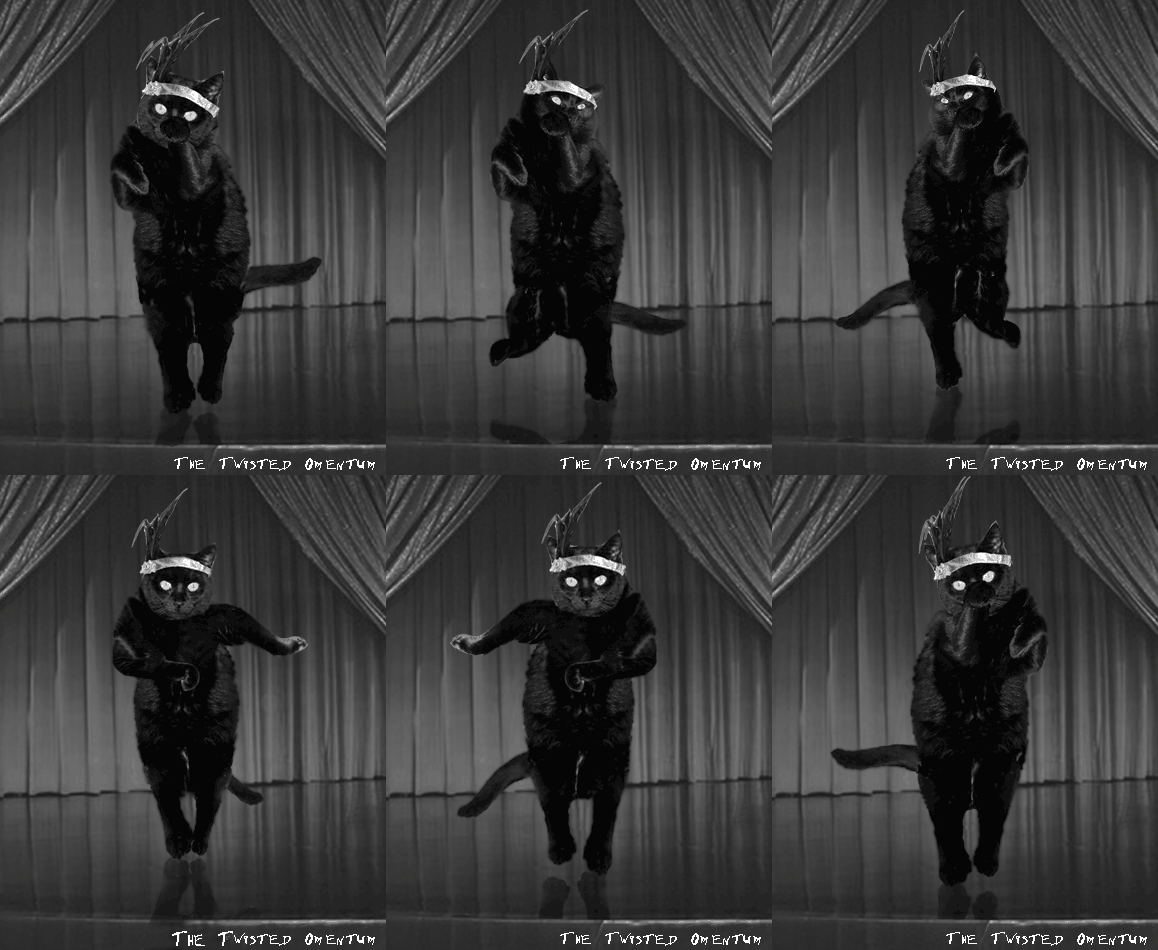
(part of a full length thing I am doing for YouTube)
 The Twisted Omentum vidi vici veni,
Fri 4 Dec 2009, 14:49,
archived)
Nice moves!
The Twisted Omentum vidi vici veni,
Fri 4 Dec 2009, 14:49,
archived)
Nice moves!
 2 Can Chunder Word to your mums, I came to prod bums,
Fri 4 Dec 2009, 14:51,
archived)
It started as a Charlston
2 Can Chunder Word to your mums, I came to prod bums,
Fri 4 Dec 2009, 14:51,
archived)
It started as a Charlstonbut cats never follow instructions :-)
( The Twisted Omentum vidi vici veni,
Fri 4 Dec 2009, 14:54,
archived)
I find this rather spookyBecause that cat looks exactly like the one that lives in my house.
(,
Fri 4 Dec 2009, 15:03,
archived)
She's the family pet. But she probably thinks she subletsShe lays around enough to make it look like that.
(,
Fri 4 Dec 2009, 15:29,
archived)
She does put herself about a bit
(
The Twisted Omentum vidi vici veni,
Fri 4 Dec 2009, 15:21,
archived)
 some of c_kick's stuff is at the top of reddit at the moment
still has its tags on
( yanmania... last shagged your mum on,
Fri 4 Dec 2009, 14:57,
archived)
love the snowball game
yanmania... last shagged your mum on,
Fri 4 Dec 2009, 14:57,
archived)
love the snowball gameI scored 260 - which must be shit
( The Twisted Omentum vidi vici veni,
Fri 4 Dec 2009, 15:01,
archived)
 DANCE DANCE DANCE


.
that's very very well done
 pzyko Query failed.,
Fri 4 Dec 2009, 15:10,
archived)
hey does anyone know if it's possible to have transparent backgrounds in the new version of paint?
pzyko Query failed.,
Fri 4 Dec 2009, 15:10,
archived)
hey does anyone know if it's possible to have transparent backgrounds in the new version of paint?I can't find the button and google isn't helping me
( gronkpan,
Fri 4 Dec 2009, 15:12,
archived)
gronkpan,
Fri 4 Dec 2009, 15:12,
archived)
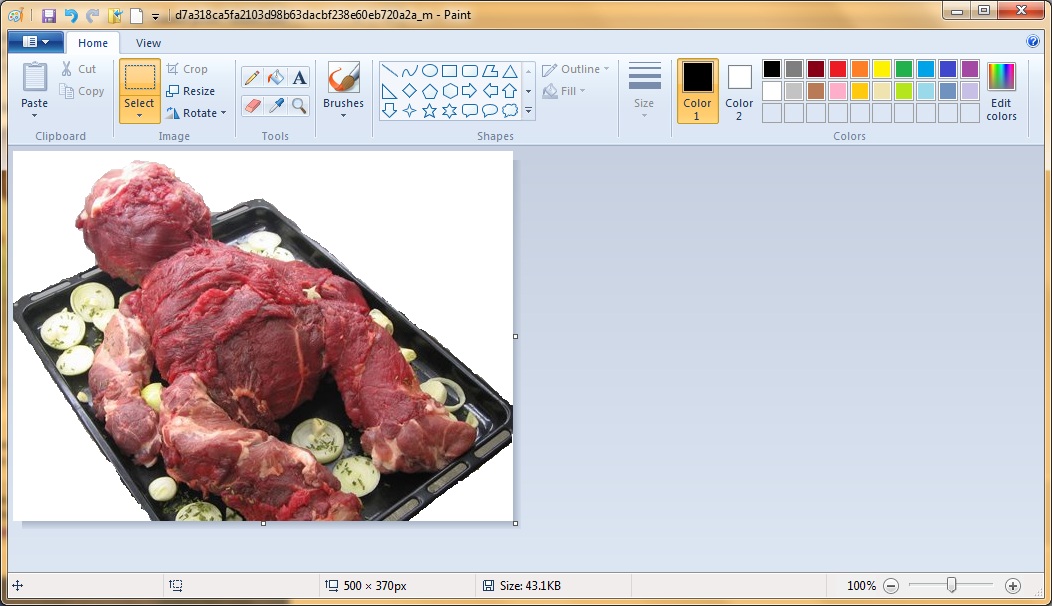 Hahahaha! Crikey!
:D

( Fresh Water Mole loves his baby boy more and more every day,
Fri 4 Dec 2009, 15:20,
archived)
Does paintbrush have a cosmetic surgery Ap
Fresh Water Mole loves his baby boy more and more every day,
Fri 4 Dec 2009, 15:20,
archived)
Does paintbrush have a cosmetic surgery Apor is that Nikki Lauder as a kid?
( The Twisted Omentum vidi vici veni,
Fri 4 Dec 2009, 15:23,
archived)
Mmm, roast KuatoSTART.....THE......RE..AC..TOR....
 revolution now 👊,
Fri 4 Dec 2009, 15:25,
archived)
Ye gods
revolution now 👊,
Fri 4 Dec 2009, 15:25,
archived)
Ye godsThat's brutal!
(Not to mention delicious looking...)
((Not to mention delicious looking...)
 Fitznicely into a thimble,
Fri 4 Dec 2009, 15:28,
archived)
The paint.net download always conks out halfway through
Fitznicely into a thimble,
Fri 4 Dec 2009, 15:28,
archived)
The paint.net download always conks out halfway throughI'll give it another go but I tend to give up after the second attempt
( gronkpan,
Fri 4 Dec 2009, 15:31,
archived)
hmm.As far as I can tell, they've taken away the ability to have transparent backgrounds. That can't be right.
( gronkpan,
Fri 4 Dec 2009, 15:30,
archived)
this is not a helpful replyI spent several minutes there taking handy and helpful screenshots of what seemed like an obvious process before realising I'm at work and therefore using Windows XP.
Sorry.
(Sorry.
Mockingbird Practitioner of SCIENCE,
Fri 4 Dec 2009, 15:38,
archived)
Hey, it's nice to know you put in some effortI appreciate it.
( gronkpan,
Fri 4 Dec 2009, 16:02,
archived)
 By "New" do you mean something newer than PS 11.0.1?
You can set background transparency when you open a new file, and/or you can copy the image to another layer and hide the background - but I don't know if there ever was a single button that will change a white background to a transparent background.
( tubaman,
Fri 4 Dec 2009, 16:31,
archived)
Cat flapper....?
tubaman,
Fri 4 Dec 2009, 16:31,
archived)
Cat flapper....?:D
( Fresh Water Mole loves his baby boy more and more every day,
Fri 4 Dec 2009, 15:18,
archived)
That really is a superb piece of animation!You didn't make things easy for yourself, did you? A totally black cat on a reflective surface!
:D
(:D
Fresh Water Mole loves his baby boy more and more every day,
Fri 4 Dec 2009, 15:31,
archived)
Wait til you see the whole thingy on YoutubeIt's the song "Don't bring LuLu" with a band and everything
ps Jeremy is just one of the funniest things on this site. Love it
(ps Jeremy is just one of the funniest things on this site. Love it
The Twisted Omentum vidi vici veni,
Fri 4 Dec 2009, 15:32,
archived)
Cheers Twisty!:D
( Fresh Water Mole loves his baby boy more and more every day,
Fri 4 Dec 2009, 15:43,
archived)
That is one funky dancing catWoo!
( BleachedEgo draw a cdc then get back to your teen porn.Pricks,
Fri 4 Dec 2009, 15:35,
archived)
BleachedEgo draw a cdc then get back to your teen porn.Pricks,
Fri 4 Dec 2009, 15:35,
archived)
